Darpoten: A Modern Google Slides Template for Polished Presentations
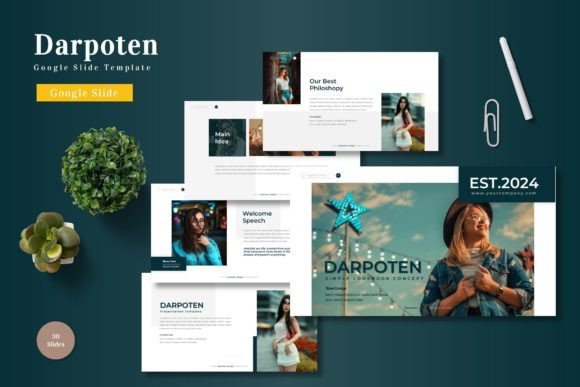
Creating a presentation that truly captivates an audience often feels like a high-wire act. You need to balance compelling content with a design that doesn't just look good, but actively supports your message. Many of us have experienced the frustration of starting from a blank slide, wrestling with alignment, color schemes, and layout consistency. This is where a well-crafted template becomes more than a convenience—it becomes a strategic tool. The Darpoten - Google Slide Template is designed to solve this exact problem, offering a comprehensive foundation for anyone who needs to communicate ideas with clarity and visual impact. It’s not just about having pre-made slides; it’s about having a cohesive visual system at your fingertips.
A Foundation for Visual Storytelling
At its core, the Darpoten template is built on the principle of organized flexibility. With over 150 total slides distributed across five premade color schemes, it provides a robust starting point for a wide array of projects. Think of it less as a rigid set of pages and more as a versatile design kit. Each of the five color variations offers 30 meticulously arranged slides, ensuring you have dedicated layouts for everything from a powerful title opener to detailed data breakdowns and clean section breaks. This structure eliminates the guesswork of where to place your next point, allowing you to focus on the narrative of your presentation.
The real strength lies in its thoughtful components. The handcrafted infographics and pixel-perfect illustrations are not generic clip art; they are designed to help translate complex information into digestible, engaging visuals. Whether you're explaining a business process, showcasing market research, or outlining a project timeline, these elements help maintain audience attention. Furthermore, the use of master slides ensures that any global change you make—like updating a font or shifting a color accent—applies seamlessly across your entire deck. This is crucial for maintaining visual consistency, which is a cornerstone of professional branding and clear communication.
Practical Applications for Entrepreneurs and Creators
Let's move beyond theory and consider where a template like Darpoten fits into real-world workflows. For a small business owner or entrepreneur, a pitch deck is often the first formal introduction to potential investors or partners. Using a polished, professionally structured template immediately elevates your credibility. The gallery and portfolio slides are particularly valuable here, allowing you to showcase products, past work, or client testimonials in a clean, visually compelling grid that speaks volumes about your attention to detail.
For marketers and content creators, the applications are equally broad. Imagine preparing a social media strategy presentation for a client. Instead of sending a plain document, you can walk them through a visually rich deck that mirrors the quality of the campaigns you're proposing. The template’s design assets can also inspire other materials. The clean lines, modern typography, and balanced color palettes found in the slides can inform the design of a blog header, a promotional poster, or even the layout of a digital product guide. It acts as a visual anchor for your broader brand identity.
Educators and trainers will also find immense value. Creating engaging course materials or workshop decks can be time-consuming. Darpoten’s intuitive drag-and-drop picture placeholders and editable graphics make it simple to build educational content that is both informative and easy to follow. The section break slides are perfect for dividing a long lecture into manageable, digestible segments, helping to keep learners focused and on track.
Design Considerations and Smart Implementation
Having a powerful tool is one thing; using it effectively is another. A key piece of advice is to start by selecting the color variation that best aligns with your existing brand palette or the mood of your topic. The five provided schemes offer different tones, so choose the one that feels most authentic to your message. From there, use the master slides as your command center. Need to change the primary font? Do it once in the master view, and watch it update everywhere, ensuring typographic harmony throughout.
When it comes to typography, the template likely pairs fonts that are chosen for both aesthetic appeal and on-screen readability. This is a critical consideration often overlooked. A beautiful script font might look stunning in a logo but could become illegible on a slide viewed from the back of a room. The Darpoten template’s built-in font choices should serve as a guide. If you decide to customize, test any new font pairings rigorously. Check how they render at different sizes and ensure there is sufficient contrast between headings and body text. Readability is non-negotiable for effective communication.
Another practical tip is to leverage the editable infographics not just as they are, but as a starting point for your own data visualization. You can resize, recolor, and modify these elements to perfectly match your specific data set. This transforms the template from a static presentation into a dynamic tool for data storytelling. Remember, the goal is not to use every slide, but to use the right slides to build your unique story with clarity and flow.
Beyond the Slides: A Catalyst for Cohesive Branding
The influence of a well-designed presentation template often extends far beyond the boardroom. The visual language established in your slides—the specific shades of color, the style of icons, the balance of imagery and text—can become a reference point for other branding materials. For instance, the minimalist aesthetic of a Darpoten slide could inspire the layout of your next email newsletter or the design of a product packaging label. It encourages a mindset of visual consistency, which is fundamental to building brand recognition.
For those involved in editorial design or creating digital products, such as e-books or online course materials, the structural logic of the slides is invaluable. The way information is chunked with clear headings, supportive visuals, and ample white space is a blueprint for effective document design. You can adapt the flow of a presentation into a compelling page layout, ensuring your reader has a similarly guided experience.
Ultimately, a resource like the Darpoten - Google Slide Template is about saving time while enhancing quality. It provides a professional scaffold that allows your content to shine. Whether you're a freelancer pitching a new client, a teacher developing a curriculum, or a startup founder seeking funding, starting with a strong visual foundation lets you communicate with greater confidence and impact. It’s a practical asset that supports the most important goal of any presentation: making your ideas understood and remembered.